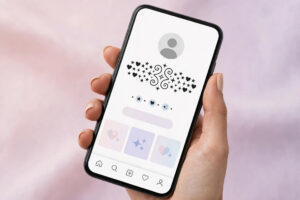
If you want to learn how to add symbols to your Roblox name, here is the answer in one line: put the symbols in your display name, not your @username. Your Roblox display name can be up to 20 characters long, can be changed once every 7 days, and does accept Unicode symbols like stars and hearts. Your @username, the handle shown underneath your display name, only allows letters, numbers and one underscore, so no symbols will ever work there. In this guide, you will learn how to add symbols to your Roblox name step by step, which symbols pass the filter safely, and which mistakes get names rejected. The Roblox name generator can build a stylish base name to decorate.
Roblox Display Name vs Username: Where Symbols Are Allowed
Roblox shows two names on every profile, and mixing them up is the most common reason symbol names fail. Your display name is the big name at the top of your profile. It can hold up to 20 characters, accepts Unicode symbols, and can be changed once every 7 days. Your @username sits underneath it in smaller text. It only allows letters, numbers and a single underscore, and never accepts symbols. Other players usually see your display name first, so that is where your style belongs. Keep your @username short and plain, and let your display name carry the stars and hearts. For the full walkthrough, read how to change your display name in Roblox for free.
How to Add Symbols to Your Roblox Name
Adding symbols to your Roblox display name is quick on a computer, phone or tablet, and takes about a minute:
- Open Roblox and go to your profile page by tapping your avatar.
- Tap the pencil icon next to your display name.
- Delete your old display name from the Display Name field.
- Type or paste your new display name with one or two symbols included.
- Tap Save and wait for Roblox to approve the new display name.

Safe Symbols That Pass the Roblox Filter
Roblox runs every display name through a content filter, so not all symbols are equal. The safest ones are simple, common Unicode characters the filter already recognises. The fancy text generator can style your letters, and you can finish the look with one of these proven symbols:
- ★ is a solid star that passes the filter easily and looks bold in game.
- ♡ is a soft heart that suits cute, friendly and aesthetic display names.
- ✦ is a four-point sparkle that gives your name a magical, glowing feel.
The symbol library has more symbols to copy. As a rule, use only one or two symbols in a display name, because heavy combos are the ones the filter rejects most often.
Stylish Roblox Display Name Ideas With Symbols
Here are ready-to-copy Roblox display name ideas that use safe symbols and stay inside the 20 character limit:
- ❀ Sakura ❀ is a gentle flower style for anime and nature lovers.
- ⋆ Rex ⋆ is a short star style that is easy to spot and remember.
- ✧ Luna ✧ is a dreamy sparkle style for night and moon themed players.
- ★ Blaze ★ is a bold star style for competitive and action players.
- ♡ Mimi ♡ is a sweet heart style that works well for young players.
- ✦ Frost ✦ is a icy sparkle style for winter and snow themed avatars.
- ❀ Ivy ❀ is a pretty flower style for calm and creative players.
- ★ Titan ★ is a strong star style for players who want a powerful look.
- ⋆ Zoe ⋆ is a neat minimal style that looks clean on every screen.
Mistakes to Avoid When Adding Symbols to Roblox
A few mistakes cause most rejected Roblox names. Do not pack your display name with four or five symbols, because the filter often blocks heavy combos even when each symbol alone is fine. Do not use symbols that look like letters to spell rude words, because the filter will catch them. Never waste your one change per 7 days on an untested name, and count your characters first, because the 20 character limit includes every symbol and space. For more ideas, see the stylish names for Roblox for boys with symbols collection and polish your letters with the name decorator before you save.
Frequently Asked Questions
Can I put symbols in my Roblox username?
No. The @username only allows letters, numbers and one underscore. Symbols only work in your display name, which accepts Unicode characters and can be up to 20 characters long.
How do I change my Roblox display name?
Go to your Roblox profile, tap the pencil icon next to your display name, type or paste your new name with symbols, and tap Save. You can only change it once every 7 days, so choose carefully.
Why did Roblox reject my name with symbols?
Roblox usually rejects a symbol name because it is over 20 characters long or a heavy symbol combination triggered the content filter. Remove one or two symbols, keep the name simple, and try again.
How often can I change my Roblox display name?
Once every 7 days. Your @username follows different rules and cannot take symbols at all, so keep it plain and let your display name carry the style.